








Running scanners
Contents
Not yet available to everyone – join the waitlist to get updates.
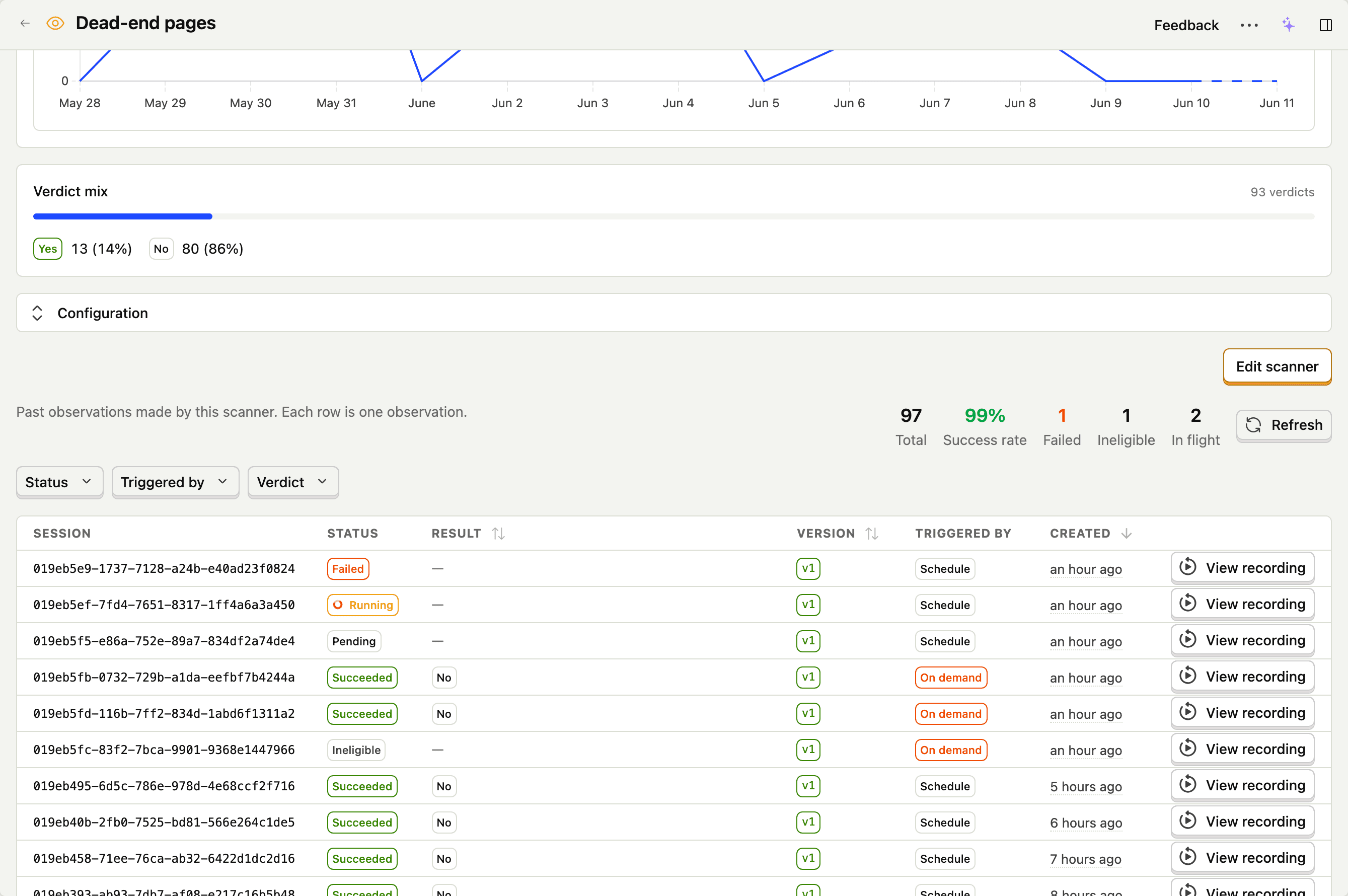
There are two ways a scanner produces observations: automatically in the background as new recordings come in, or on-demand against recordings you pick. Both paths produce the same observation rows and the same $recording_observed events – they only differ in how the work gets triggered.
Automatically on matching sessions
Once a scanner is enabled, PostHog runs a background sweep every few minutes. The sweep:
- Looks for new recordings that match the scanner's filters and that the scanner hasn't already observed.
- Applies the sampling rate to that batch (so a 10% rate means roughly one in ten matching sessions get queued).
- Queues an observation per session for the model to process.
- Records the result – success, failure, or ineligible – and emits a
$recording_observedevent for successes.
Each (scanner, session) pair is only ever observed once. Re-sweeping never produces duplicate observations for the same recording.
When does the next sweep run?
Sweeps run continuously – once a scanner is enabled, observations start accumulating within a few minutes. New results land on the scanner's Observations tab as they complete.
What happens when I change filters?
Changing a scanner's filters affects which new sessions match going forward. Old recordings aren't re-evaluated against the new filters. If you broaden the filters and want to backfill, trigger on-demand observations against the recordings you care about – the bulk Scan these recordings action is the fastest way – or wait for new matches to come in.
What happens when I disable the scanner?
Disabling stops the background sweep. Existing in-flight observations finish; no new ones get queued. On-demand triggers continue to work.
On-demand on recordings you pick
From the replay player
Open a recording in the replay player, then use the Scan this recording action. Pick the scanner you want to run, and PostHog queues a single observation against that session.
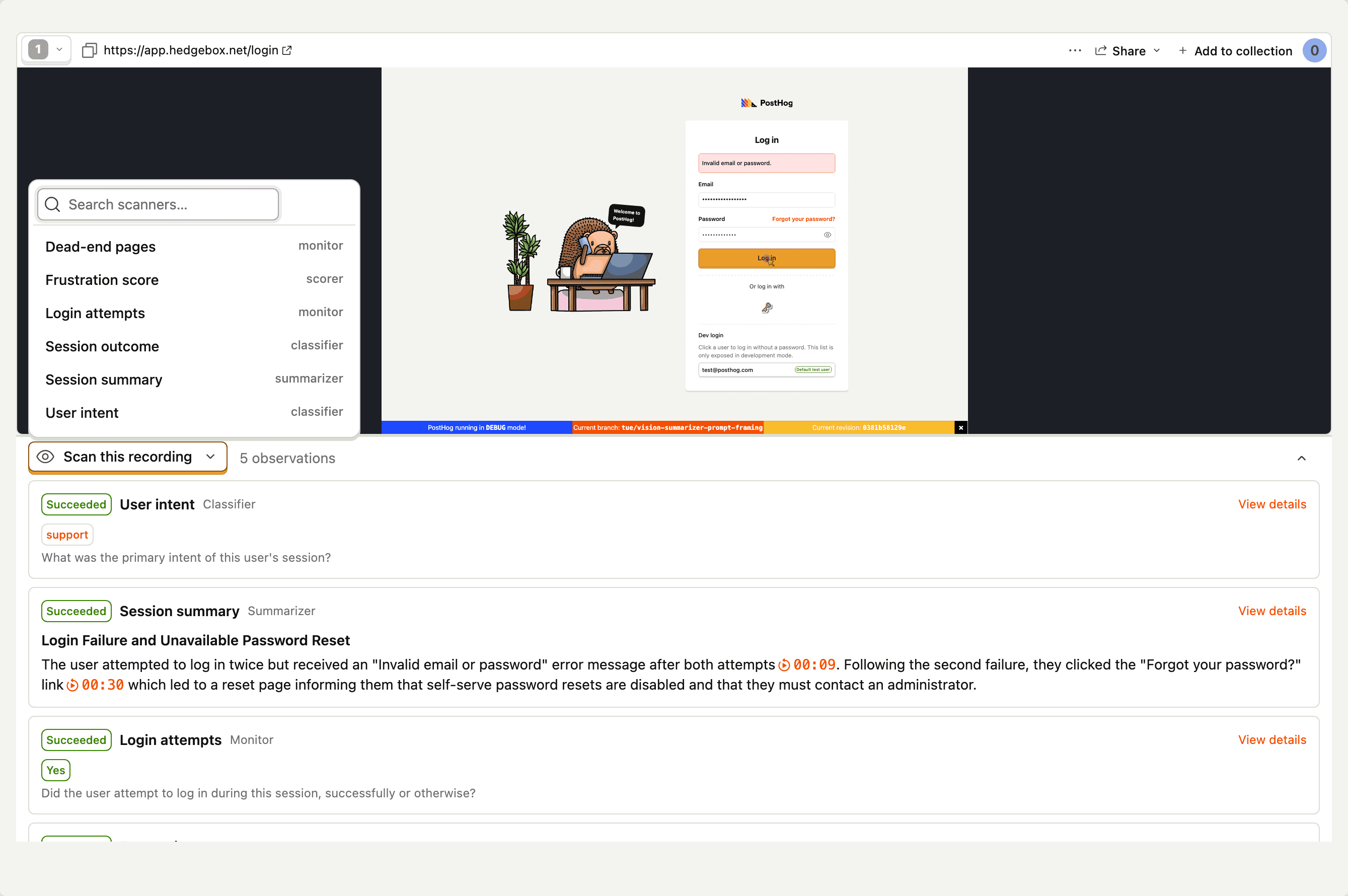
On-demand triggers:
- Work even when the scanner is disabled (only the background sweep respects the toggle).
- Skip the sampling rate – every on-demand trigger produces an observation if the session is eligible.
- Are attributed to the user who triggered them, so you can tell apart "human spot-check" observations from "background sweep" observations.
From the recordings list
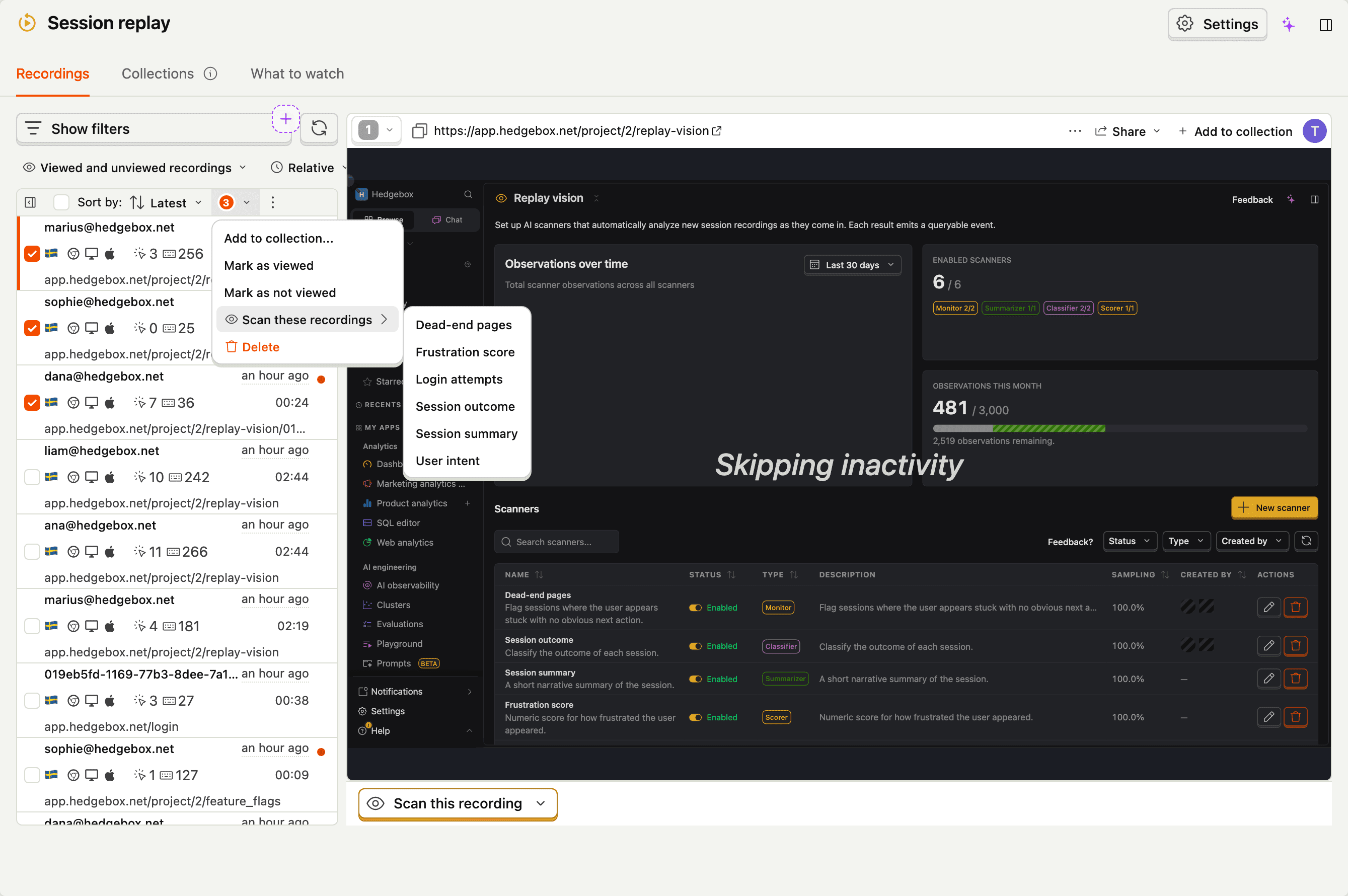
To scan a batch in one go, select recordings in the recordings list and choose Scan these recordings, then pick a scanner. Each selected session is queued as its own observation. Sessions the scanner has already observed are skipped automatically, so re-scanning a selection is safe.
This is also the fastest way to backfill after broadening a scanner's filters.
Via MCP
You can also trigger an on-demand observation from your editor using the vision-scanners-scan-session MCP tool. See Replay Vision MCP for the full set of tools and example prompts.
Ineligible sessions
Some sessions can't be analyzed – there's no recording data, the recording is too short to draw conclusions from, or the user did nothing the model can see. Rather than fail noisily, these come back marked ineligible.
The taxonomy:
| Ineligible reason | What it means |
|---|---|
no_recording | The session referenced doesn't have replay data in storage |
too_short | The recording is below the minimum duration we'll scan |
too_inactive | The recording is long enough but the user was idle for almost all of it |
too_long | The recording is above the maximum duration we'll scan |
no_events | The recording has no analytics events at all |
Ineligible observations:
- Show up on the scanner's Observations tab with the reason, so you can audit why a session was skipped.
- Do not count against your quota.
- Are not emitted as
$recording_observedevents – querying observations only ever returns succeeded ones.
If you're seeing a lot of ineligibles for one scanner, that's usually a signal to narrow the filters – e.g. exclude sessions below a duration threshold, or require at least one event. See troubleshooting for more.